Hit the Button Math – Free Times Tables Game for Kids 6-11
Hit the Button is an interactive mathematics game designed to help children aged 6-11 develop mental calculation skills through rapid-fire questions. The game, created by the educational platform Topmarks, presents players with quick calculations covering times tables, number bonds, doubling, halving, and other core numeracy topics. Schools and parents across the United Kingdom and beyond have adopted the tool as a supplement to traditional mathematics instruction, valuing its ability to make repetitive practice feel engaging rather than tedious. Hit the Button Math Game is available both as a free browser-based game and as a paid mobile application, adapting to different learning environments and skill levels. The game generates randomised questions that challenge children to recall key number facts under time pressure, a method that educational researchers have identified as effective for building fluency in basic arithmetic. Teachers frequently incorporate the platform into classroom activities, while families use it at home to reinforce skills introduced during school hours. This guide examines how Hit the Button works, where to access it, what users have reported about its effectiveness, and what distinguishes the web version from the mobile apps.
What is Hit the Button Math Game?
Hit the Button is a browser-based and app-based mathematics game developed by Topmarks, a United Kingdom-based educational resource provider. The platform targets primary school children, particularly those in Key Stage 1 and Key Stage 2, corresponding roughly to ages 5 through 11, with the most active usage typically occurring between ages 6 and 11. Rather than teaching new concepts, the game focuses on consolidating knowledge already introduced in the classroom, helping children achieve faster and more reliable recall of fundamental number facts.
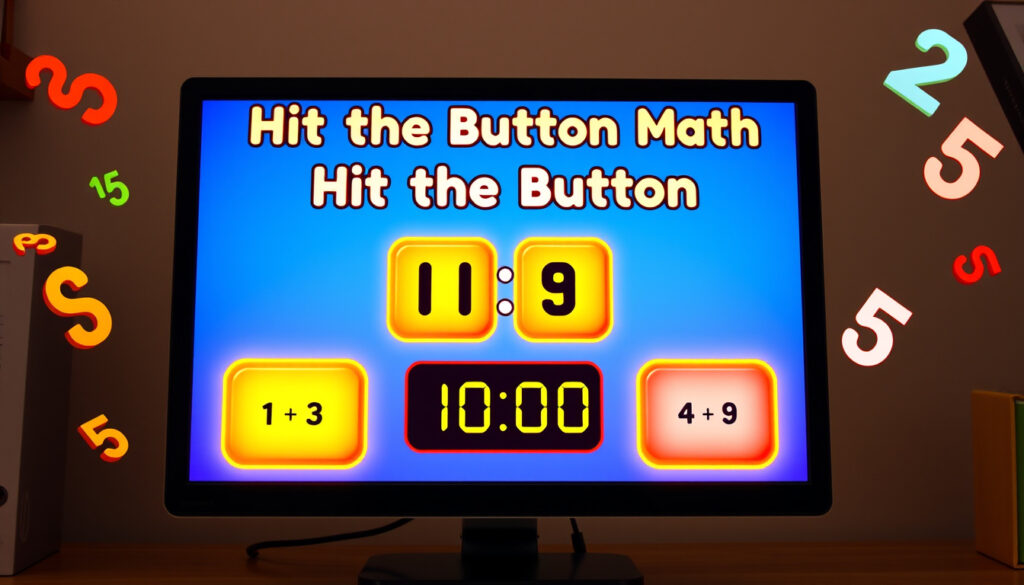
The game presents a straightforward premise: players see a mathematical question on screen and must tap or click the correct answer from several options before time runs out. The interface uses large, clearly labelled buttons designed with younger users in mind, making it particularly suitable for tablet devices. Several independent school websites, including those run by Stanton Bridge Primary School in Coventry, have embedded the game for use during lessons and homework activities.
Key Features and Design Philosophy
The developers at Topmarks built Hit the Button around the principle that frequent, short practice sessions yield better results than occasional longer ones. Questions cover six primary topic areas:
- Times tables and corresponding division facts
- Number bonds to 10, 20, and 100
- Doubling and halving numbers
- Square numbers
- Multiples of whole numbers
- Mental addition and subtraction
Each topic offers multiple difficulty levels, allowing parents and teachers to select challenges appropriate to a child’s current stage. The randomised question generation prevents children from simply memorising a fixed sequence, instead requiring genuine recall and understanding of mathematical relationships.
All topics listed above appear in official Topmarks descriptions and are confirmed across multiple independent app store listings and school resource pages.
| Attribute | Details |
|---|---|
| Developer | Topmarks |
| Target Age Range | 6-11 years (Key Stage 1 and 2) |
| Primary Topics | Times tables, number bonds, doubling, halving, square numbers |
| Core Operations | Addition, subtraction, multiplication, division |
| Platforms | Web browser, iOS app, Android app |
| Web Access Cost | Free |
| App Cost | $3.99 (USD) |
| App Game Modes | 166 modes across six topics |
Hit the Button Math Gameplay Explained
The gameplay loop in Hit the Button centres on speed and accuracy under time pressure. In the standard timed mode, players have 60 seconds to answer as many questions as possible. The game presents a calculation—typically a multiplication fact, a number bond completion, or a halving exercise—and displays several answer choices. The player must identify the correct answer and select it before the next question appears automatically.
This rapid-fire format distinguishes Hit the Button from traditional worksheets or even many digital learning platforms. By limiting each round to one minute, the game encourages repeated short sessions rather than extended study periods. Educational practitioners have noted that this approach aligns well with how children naturally process and retain basic number facts: brief, frequent exposure proves more effective than infrequent, prolonged practice.
The Timed Challenge Format
Upon launching a timed session, a countdown timer occupies a prominent position on screen, providing visual feedback about remaining seconds. Questions appear in rapid succession, and the game tracks both correct answers and incorrect responses. When time expires, the session ends and a score summary displays, showing the total number of correct answers, the accuracy percentage, and optionally, a comparison with previous attempts if the player has maintained a profile.
The question variety within each session keeps gameplay unpredictable. Because the game draws from pools of possible calculations rather than fixed sequences, players cannot rely on pattern memorisation alone. This randomness forces genuine engagement with the underlying mathematical relationships, reinforcing the conceptual foundations that underpin fluent number work.
The mobile application version includes an untimed practice mode for learners who find the countdown pressure counterproductive. This mode allows children to work through questions at their own pace, making it particularly useful for introducing new topic areas before transitioning to timed challenges.
Game Modes and Difficulty Progression
Each of the six core topics contains multiple difficulty levels that scale with the player’s advancing skills. For times tables, for instance, the game can focus exclusively on the two-times table for beginners, expand through the five-times and ten-times tables at an intermediate level, and ultimately include all tables up to twelve for more advanced players. Similar graduated structures apply to number bonds, where early sessions might focus on bonds to ten before progressing to twenty and eventually one hundred.
This tiered approach serves classrooms with diverse ability levels. A Year 3 student beginning formal multiplication instruction can work on two-times and five-times tables, while a Year 6 student preparing for secondary school can tackle division facts and square numbers. The same platform accommodates both without requiring separate resources or additional purchases.
About the Basketball Mode Reference
Some search queries reference a “Hit the Button math Basketball” mode, suggesting the game might include themed content related to basketball. However, a thorough review of official Topmarks materials, app store descriptions, and third-party educational resource listings reveals no mention of basketball-themed gameplay within Hit the Button. The core topics consistently centre on the mathematical operations and number relationships described above, without sports-specific overlays or themed question sets.
It is possible that users have encountered a different application or have confused Hit the Button with another educational game featuring basketball elements. The unrelated Hit the Button game hosted on Coolmath Games, for example, involves navigating a button through obstacles using mouse controls—a puzzle game with no mathematical content whatsoever.
Is Hit the Button Free to Play?
The web-based version of Hit the Button remains completely free to play through the official Topmarks website. No registration, subscription, or payment is required to access the full range of web game modes. Users simply navigate to the game page, select their desired topic and difficulty level, and begin playing immediately. This accessibility has contributed significantly to the game’s popularity among teachers and families seeking no-cost educational resources.
Third-party educational websites have also reproduced or embedded the game, providing additional access points for users who encounter it through school portals or resource directories. The MathsZone website, operated independently from Topmarks, provides an embedded version alongside other mathematics tools suitable for primary school children. Similarly, several individual schools have linked to or embedded the game on their own websites for use during homework and revision periods.
Mobile Application Costs and Features
Topmarks offers official applications for iOS and Android devices at a cost of $3.99 per platform. These paid versions provide several features absent from the free web experience. The most notable addition is the expanded mode library: 166 distinct game configurations spanning the six core topics, offering considerably more variety than the web version’s standard offerings.
The apps also include support for multiple player profiles, allowing up to 30 individual users to maintain separate accounts on a single device. Each profile tracks high scores, achievements, and progress independently, making the apps suitable for family households with several children at different ability levels. Awards in the form of bronze, silver, and gold stars, along with trophies, provide gamified incentives that encourage continued practice.
The iOS application requires a minimum operating system of iOS 13 and has accumulated 514 ratings on the App Store, achieving a composite score of 3.7 out of 5. Reviewers have praised the app for its effectiveness at reinforcing times tables knowledge, its straightforward interface, and its customisation options. One reviewer, identified as MathChickadee, described it as “Perfect for Times Tables.”
The Android version, published under the developer name Topmarks Online Ltd, holds a matching 3.7-star rating based on 342 reviews and has recorded over 50,000 downloads. Users have called the application “superb for primary kids” while also suggesting improvements such as a results history feature to track recent performance. The app received an update on 30 July 2024, indicating ongoing maintenance and support from the developer.
Android users subscribed to Google Play Pass can access the application without additional purchase, as it is included in the subscription service’s catalogue of ad-free, paid applications available at no extra cost.
Hit the Button Math Reviews Summary
Parent and teacher feedback consistently highlights the game’s ability to make times tables practice less tedious than traditional methods. Reviews emphasise the engagement factor—children reportedly return to the game voluntarily without requiring parental encouragement, a feature that distinguishes it from conventional flashcard or worksheet approaches. The timed challenge format appears particularly effective at maintaining attention and generating genuine enthusiasm for improvement.
Constructive criticism centres on the absence of detailed progress tracking in the web version and requests for more granular performance data in the apps. Some reviewers have also noted that the randomised question generation occasionally produces question types a child has not yet encountered in formal instruction, suggesting adult supervision or guidance when introducing new topics.
Hit the Button Times Tables and Other Modes
Times tables practice constitutes one of the most frequently used features within Hit the Button, and the game approaches this fundamental skill from multiple angles. Rather than presenting multiplication facts in isolation, the platform pairs times tables with their corresponding division facts, reinforcing the inverse relationship between these operations. When a player encounters the question “7 × 8,” the same underlying number facts connect to division questions such as “56 ÷ 8,” helping children build a more integrated understanding of numerical relationships.
Times Tables Configuration Options
The web version allows players to select specific times tables for focused practice. Options range from individual tables, such as the three-times or four-times tables, to combined selections covering multiple tables simultaneously. This flexibility enables targeted revision: a child who has mastered the two-times and five-times tables but struggles with seven-times can concentrate exclusively on the latter without wasting time on already-familiar content.
The application versions extend this customisation further, supporting multiplication tables up to twelve in regions where the twelve-times table forms part of the standard curriculum. This aligns with educational practices in countries including the United Kingdom, where Key Stage 2 mathematics guidance includes familiarity with tables through twelve. For international users following different curricular frameworks, the configuration options accommodate regional requirements.
The free web version offers a defined selection of game modes, while the paid applications provide 166 distinct configurations across six topics. Users seeking the broadest possible range of practice options should consider the mobile applications. For those looking to enhance their children’s multiplication and division skills, interactive video lessons on games are available at Інтерактивні відеоуроки з ігор.
Number Bonds and Mental Arithmetic
Number bonds represent complementary number pairs that combine to form a target sum, such as 7 and 3 bonding to make 10. Hit the Button presents these bonds as fill-in-the-blank exercises, asking players to identify the missing addend when given the total and one component. This format develops the mental arithmetic skills that underpin efficient written calculation, as children learn to recognise decomposition patterns intuitively rather than relying on counting strategies.
The number bonds mode progresses through several difficulty tiers, beginning with bonds to ten before advancing to twenty and eventually one hundred. Each tier introduces larger numbers and more complex decomposition strategies, providing long-term utility as children advance through primary school. By the time learners reach upper Key Stage 2, they typically work with bonds to one hundred, preparing them for secondary school mathematics that assumes fluent mental arithmetic with larger numbers.
Doubling, Halving, and Square Numbers
Doubling and halving modes exploit the mathematical relationship between these paired operations, presenting exercises that require rapid mental manipulation of whole numbers. A child comfortable with doubling can apply that knowledge directly to halving exercises, as halving effectively reverses the doubling process. This interconnection reflects broader mathematical structure that the game reinforces consistently across all topic areas.
Square numbers appear as a distinct topic, challenging players to recall the products of multiplying a number by itself. Familiarity with square numbers up to twelve or fifteen proves valuable when children encounter topics such as area calculation, Pythagorean theorem applications, and fraction work that involves squaring denominators. The dedicated square numbers mode ensures this knowledge develops systematically alongside other arithmetic skills.
Development and Availability Timeline
Hit the Button originated as a web-based educational tool distributed through the Topmarks platform, which has maintained a presence in the United Kingdom educational technology landscape for multiple decades. The game became widely available through the Topmarks website, where it joined a broader catalogue of interactive teaching resources covering various subjects and age groups.
Over time, third-party websites began embedding or linking to the game, expanding its availability beyond the official Topmarks domain. Educational resource aggregators such as MathsZone integrated Hit the Button into their collections, providing additional access channels for teachers and parents searching for mathematics practice tools. Individual schools also began incorporating the game into their digital learning environments, linking to it from dedicated pupil hub pages and homework portals.
- Early development: Hit the Button launches on the Topmarks website as part of the platform’s expanding catalogue of interactive mathematics resources for primary schools.
- Third-party adoption: Independent educational websites including MathsZone embed or link to the game, increasing visibility and accessibility for teachers and families.
- School integration: Individual primary schools begin incorporating Hit the Button into classroom activities and homework platforms, as seen on sites such as Stanton Bridge Primary School.
- Mobile application release: Topmarks develops and releases official iOS and Android applications, expanding the game beyond browser-based access and introducing additional features including player profiles and expanded game modes.
- Ongoing updates: The Android application receives a maintenance update on 30 July 2024, indicating continued developer support and attention to platform stability.
Understanding What Is Confirmed and What Remains Unclear
| Confirmed Information | Information Requiring Further Verification |
|---|---|
| Web version is free and accessible at topmarks.co.uk | Specific engagement or learning outcome statistics |
| Apps cost $3.99 and offer 166 game modes | Curriculum alignment details for non-UK regions |
| App store ratings of 3.7 stars on both iOS and Android | Specific teacher adoption rates in particular regions |
| Topics include times tables, number bonds, doubling, halving, square numbers | Whether “Basketball” mode exists as an official variant or themed content |
| Developer is Topmarks, a UK educational platform | Long-term development roadmap or planned feature additions |
| No login required for web version | Frequency of content updates for the web version |
The Educational Context Behind Hit the Button
The design philosophy underlying Hit the Button reflects broader educational research emphasising the importance of automatic recall in mathematics. When children encounter a calculation such as 7 × 8, fluent performers retrieve the answer directly from memory rather than deriving it through counting or calculated strategies. This automaticity frees cognitive resources for higher-level problem solving, allowing students to focus on mathematical reasoning rather than getting bogged down in basic arithmetic.
Primary school curricula in England and Wales, as outlined in the National Curriculum for Key Stages 1 and 2, explicitly require pupils to memorise times tables up to twelve by the end of Year 4. Hit the Button directly supports this requirement, providing a vehicle for the regular practice that memorisation demands. The game’s suitability for tablet devices also aligns with the increasing prevalence of tablet computers in primary school classrooms, where teachers can deploy the game during small-group work or individual practice stations.
Educational technology specialists have noted that the gamification elements—time pressure, score tracking, achievement awards—create intrinsic motivation that purely academic exercises often lack. Rather than viewing practice as a chore, children approach Hit the Button sessions as opportunities for play and competition, potentially with themselves or with peers. This motivational shift can produce more sustained engagement than traditional drill-and-practice approaches, ultimately leading to better retention and faster improvement in computational fluency.
Sources and Credibility
Information presented in this article draws from several publicly accessible sources, including official product descriptions, application store listings, and educational resource directories. The primary developer source, Topmarks’ own website, provides foundational details about the game’s design, topics, and accessibility. App store listings on Apple’s App Store and Google Play supplement this information with user reviews, ratings, and technical specifications.
“Perfect for Times Tables” — App Store Review
“Superb for primary kids” — Google Play Review
Third-party sources, including the MathsZone educational resource aggregator and individual school websites such as Stanton Bridge Primary School, corroborate core details about the game’s availability and educational applications. These independent sources lend credibility to claims about classroom integration and usage patterns.
Summary and Key Takeaways
Hit the Button is an established mathematics practice tool developed by Topmarks, offering timed and untimed challenges across six core topic areas: times tables, division facts, number bonds, doubling, halving, and square numbers. The web version is freely accessible without registration, while official mobile applications for iOS and Android provide expanded features including 166 game modes and multi-profile support at a cost of $3.99. User reviews indicate general satisfaction with the game’s effectiveness, particularly for times tables reinforcement, though some feature requests remain outstanding.
For parents and teachers seeking engaging mathematics practice for children aged 6-11, Hit the Button represents a well-established option backed by positive user feedback and ongoing developer support. The free web version offers immediate access with no commitment, making it straightforward to evaluate whether the format suits a particular child’s learning needs. Those seeking additional modes, progress tracking, and offline capability may find the paid applications worth the investment.
Parents monitoring their children’s physical development alongside academic progress may find the Body Mass Index Calculator useful for tracking growth metrics during school years.
Frequently Asked Questions
What ages is Hit the Button designed for?
Hit the Button primarily targets children aged 6-11, corresponding to Key Stages 1 and 2 in the English primary school system. The content scales from basic number bonds appropriate for younger children to division facts and square numbers suitable for older primary pupils.
Does Hit the Button include a basketball-themed mode?
Official Topmarks materials and app store listings do not mention any basketball-themed mode within Hit the Button. The game consistently focuses on mathematical operations without sports-specific overlays. Some users may be confusing Hit the Button with a different application.
Where can I find user reviews for Hit the Button?
Reviews are available on the Apple App Store and Google Play Store, where the app holds a 3.7-star rating on both platforms based on hundreds of user reviews.
Is the web version of Hit the Button truly free?
Yes, the browser-based version accessible through the Topmarks website is completely free to use. No login, subscription, or payment is required. Users can play all available game modes directly in their web browser.
How much does the Hit the Button app cost?
The official Hit the Button applications for iOS and Android each cost $3.99 (USD) when purchased separately. The Android version is also available at no additional cost to Google Play Pass subscribers.
Can multiple children use the same device with Hit the Button?
The mobile applications support up to 30 individual player profiles per device, allowing family members or classmates sharing a tablet to maintain separate accounts with independent progress tracking, high scores, and achievements.
What topics does Hit the Button cover?
The game spans six primary topic areas: times tables and corresponding division facts, number bonds to various totals, doubling, halving, square numbers, and multiples. Each topic includes multiple difficulty levels to accommodate different skill stages.
Does Hit the Button require an internet connection?
The web version requires an internet connection to load and play. The mobile applications function offline once downloaded and installed, making them suitable for use without Wi-Fi access during travel or in areas with limited connectivity.
More related posts
 Woman of the Hour – Netflix Release, Cast and True Story
 Michelle Wolf: Age, Education, Husband, Children, and More
 Dishwasher Repairs Near Me: Cost, Faults & When to Replace
 GPS Tracker Guide: Best Options, No Monthly Fee, Ireland
 John Bishop: Comedian, Footballer, Family, and Hollywood
 How to Curl Hair with Straightener – Step-by-Step Guide
 Gypsy Rose Blanchard: Baby Father, Net Worth & Life After Prison