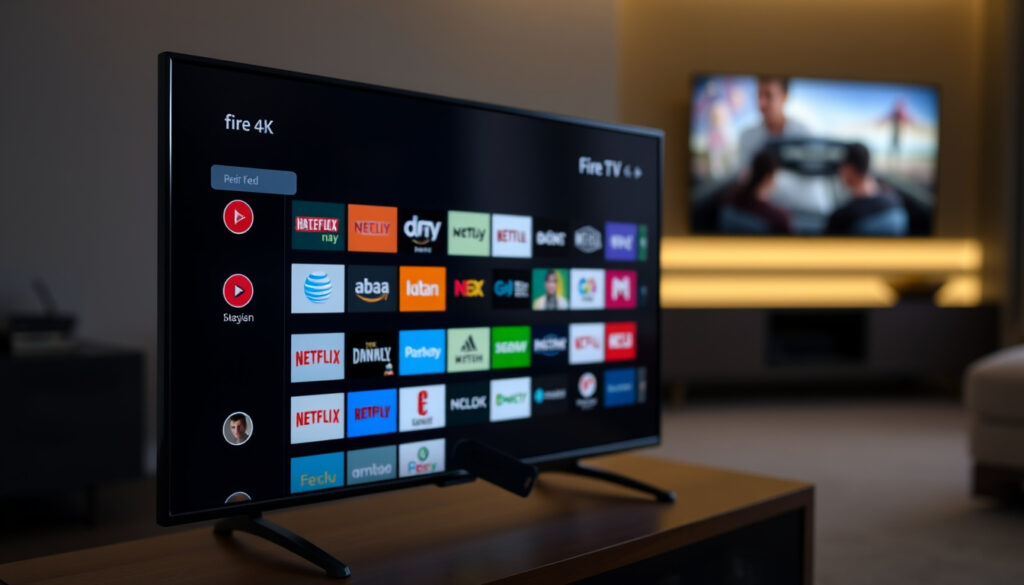
Amazon Fire TV Stick 4K: What It Does, Free Channels, Monthly Fee
Plugging in a streaming stick shouldn’t come with a second guessing game about hidden costs. If you’re eyeing the Amazon Fire TV Stick 4K, the big questions are straightforward: does it need a monthly fee, what can you watch for free, and is it any better than the apps already on your smart TV? Here is a practical breakdown of what this $49.99 device really costs and delivers.
4K resolution: 3840 x 2160 pixels ·
Supported HDR formats: Dolby Vision, HDR10+, HLG ·
Typical price: $49.99 ·
Free channels available: Over 200 (estimated) ·
Monthly fee required: $0 (no mandatory fee) ·
Voice remote included: Yes, with Alexa
Quick snapshot
- Streams Netflix, Prime Video, Disney+ and more (Best Buy Q&A quoting Amazon)
- 4K Ultra HD with HDR (Dolby Vision, HDR10+, HLG) – Amazon product page
- Alexa voice remote included – RTE review
- Pluto TV, Tubi, Amazon Freevee, BBC News – as confirmed by Amazon (Best Buy Q&A) (Amazon product page)
- Thousands of ad-supported movies and shows – Amazon product page
- Local news and live TV apps available – RTE review
- No monthly fee for the device – per Amazon (Best Buy Q&A) (Amazon product page)
- Upfront price ~$49.99 – Amazon product page
- Optional subscriptions for premium services – Consumer Reports pricing guide
- 4K vs 1080p resolution – Amazon product page
- HDR support on 4K model only – Amazon product page
- Faster processor and Wi-Fi on 4K – Amazon product page
Eight key specifications define the hardware you are getting for your money.
| Specification | Value |
|---|---|
| Device type | Streaming media stick |
| Resolution | 4K Ultra HD (3840 x 2160) |
| HDR support | Dolby Vision, HDR10+, HLG |
| Processor | Quad-core 1.7 GHz |
| Storage | 8 GB internal |
| Wireless | Wi-Fi 802.11ac dual-band, Bluetooth 5.0 |
| Remote | Alexa Voice Remote (2nd Gen) |
| Price (typical) | $49.99 (USD) |
For a one-time payment roughly equal to two months of a single premium streaming service, you get dedicated hardware that handles 4K HDR better than most smart TVs can manage on their own.
What does the Amazon Fire TV Stick 4K do?
Streaming capabilities overview
- The Fire TV Stick 4K connects to your TV’s HDMI port and streams video from major apps. Amazon lists support for Netflix, Prime Video, Disney+, Apple TV, HBO Max, YouTube, and thousands more (Best Buy Q&A quoting Amazon).
- It can access over 500,000 movies and TV episodes through downloaded services (Best Buy Q&A quoting Amazon).
4K and HDR support
- The device outputs video at 3840 x 2160 pixels — four times the detail of 1080p.
- It supports Dolby Vision, HDR10+, and HLG, which means it can display the expanded contrast and color range that modern TVs are built for. The standard HD Fire Stick does not support any HDR format.
Alexa voice control features
- The included Alexa Voice Remote (2nd Gen) lets you search by voice, control playback, launch apps, and manage smart home devices like lights and thermostats.
- You can also ask Alexa for weather, news, and sports scores without touching the remote.
App ecosystem and compatibility
- The device runs Fire OS, Amazon’s customized Android-based operating system, and gives access to the Amazon Appstore with tens of thousands of apps and channels (Best Buy Q&A quoting Amazon).
- It works with any TV that has an HDMI port and a Wi-Fi connection.
The pattern: The Fire TV Stick 4K is a full streaming platform, not just a dongle — its value comes from the breadth of the app library and the quality of the video output, not from any single service.
What channels are free with the Firestick?
Built-in free apps and services
- Amazon states that the Fire TV Stick 4K provides access to over 20,000 free movies and TV shows through apps like IMDb TV (now Amazon Freevee), Tubi, and Pluto TV (Best Buy Q&A quoting Amazon).
- These services are ad-supported, meaning you watch short commercials in exchange for free content.
Ad-supported streaming channels
- Pluto TV alone offers hundreds of live channels spanning news, sports, movies, and niche genres — all free.
- Tubi provides a library of thousands of movies and TV series across every major category, from drama to documentary.
- Amazon Freevee (formerly IMDb TV) includes original series along with a rotating catalog of films and shows.
Local news and live TV options
- Free news apps include BBC News, Sky News, CBS News, and ABC News — all available without a subscription.
- Some local stations offer their own apps, though availability varies by region.
What this means: You can watch a substantial amount of television — movies, news, live channels — without paying a cent beyond the initial hardware cost. The catch is that the free tier comes with ads, and the exact lineup of free channels shifts over time as licensing deals change.
Is there a monthly fee for Firestick 4K?
One-time hardware cost
- The Fire TV Stick 4K has a typical retail price of $49.99. That is the only payment required to own and operate the device.
No mandatory subscription
- Amazon explicitly states there is no monthly fee required to use the Fire TV Stick 4K (Best Buy Q&A quoting Amazon).
- All you need is a Wi-Fi connection and a free Amazon account.
Optional streaming subscriptions
- While the hardware is free of recurring fees, premium content requires separate subscriptions. Netflix’s 4K plan costs $27 per month, ad-free Prime Video runs $15 per month (or $139 per year), and Hulu + Live TV starts at $90 per month (Consumer Reports pricing guide).
- Some live TV and sports content require subscriptions to services like Sling TV or YouTube TV (Best Buy Q&A quoting Amazon).
The trade-off: The Fire Stick 4K itself carries zero recurring cost — but the services you want to watch on it almost certainly will. The device is the cheap part; the content library you build is where the budget gets real.
Buyers often confuse “no monthly fee for the device” with “no monthly fee for anything.” Clarifying this upfront saves frustration. The Fire Stick 4K is a $50 gateway to an ecosystem where most premium doors have a ticket price.
What is the difference between a Firestick and a Firestick 4K?
Six differences separate the standard HD Fire Stick from the 4K model — and only a few of them matter for most viewers.
| Feature | Fire Stick (HD) | Fire Stick 4K |
|---|---|---|
| Max resolution | 1080p (1920 x 1080) | 4K Ultra HD (3840 x 2160) |
| HDR support | None | Dolby Vision, HDR10+, HLG |
| Processor | Quad-core 1.3 GHz | Quad-core 1.7 GHz |
| Wi-Fi | 802.11n | 802.11ac with MIMO |
| Remote | Alexa Voice Remote (basic) | Alexa Voice Remote (2nd Gen) with TV controls |
| Typical price | $39.99 | $49.99 |
The implication: The $10 price difference buys you four upgrades: sharper resolution, HDR picture quality, faster performance, and a more capable remote. If you own a 4K TV, the 4K model is the logical choice. If your TV is still 1080p, the standard Fire Stick will look identical.
What is the point of a Fire Stick if you have a smart TV?
Performance gains over smart TV apps
- Smart TV interfaces often feel sluggish after a few years because the built-in hardware is underpowered and receives few software updates. The Fire Stick 4K’s dedicated quad-core processor and 8 GB of storage provide consistently faster app loading and smoother navigation.
- Amazon releases regular firmware updates for years after purchase, so your streaming experience doesn’t degrade over time the way many smart TV platforms do.
Access to a wider app library
- Not every TV manufacturer supports every app. The Fire Stick 4K opens up Amazon’s ecosystem — including Alexa integration, Amazon Music, and apps that may not be available on your TV’s proprietary store.
- It also supports screen mirroring and casting for phones and tablets, a feature many smart TVs lack or limit.
Voice control and integration benefits
- The Alexa Voice Remote lets you control streaming, smart home devices, and information queries from one device — something few built-in TV platforms match in depth.
- You can switch inputs, adjust volume, and power your TV on or off through the remote, reducing the need for multiple controllers.
The pattern: Even if you have a smart TV, a dedicated streaming stick often delivers a faster, more consistently updated, and more app-rich experience. The Fire Stick 4K becomes especially useful for older smart TVs whose manufacturers have stopped pushing updates.
Pros and cons of the Fire TV Stick 4K
Upsides
- No mandatory monthly fee — pay once and use it indefinitely
- Full 4K resolution with Dolby Vision and HDR10+ support
- Access to thousands of free, ad-supported channels and movies
- Alexa voice remote with TV power and volume controls
- Faster processor and Wi-Fi than the standard HD model
- Regular software updates from Amazon
Downsides
- 8 GB internal storage fills quickly with installed apps
- No Ethernet port included (requires separate adapter)
- Free channels are ad-supported and the lineup changes over time
- Premium services (Netflix, Prime Video, Hulu) require separate paid subscriptions
- Amazon ecosystem bias — some Google services (YouTube TV) have limited integration
- Does not come with an HDMI extender in all regions
Confirmed facts vs what remains unclear
Confirmed facts
- Fire TV Stick 4K supports Dolby Vision, HDR10+, and HLG (Best Buy Q&A quoting Amazon).
- No mandatory monthly fee to use the device (Best Buy Q&A quoting Amazon).
- Free channels include Pluto TV, Tubi, and Amazon Freevee (Best Buy Q&A quoting Amazon).
- Standard Fire Stick outputs max 1080p; 4K model outputs 4K.
- Typical retail price is $49.99 (Amazon product page).
What’s unclear
- Exact number of free channels fluctuates over time — estimates range from a few dozen to over 200 depending on region and app availability.
- Availability of some free apps varies by country and may require a VPN or local Amazon account.
- Future software updates could change the feature set, as Amazon has previously altered UI and removed certain functionality.
“There’s much to like about the Fire TV Stick 4K. It offers plenty of viewing options, it is simple to use, and the added Alexa functionality gives it an edge.”
— RTE review (Irish national broadcaster, tech review section)
“Get Fire TV Stick 4K for your television. Enjoy BBC iPlayer, Netflix, Prime Video, Disney+, and more in brilliant 4K.”
— Amazon product description
The Fire TV Stick 4K delivers real value for the price, but the value depends entirely on your expectations. It is a capable streaming device with strong video quality, a broad app ecosystem, and zero recurring hardware cost. What it is not is a free ticket to premium content. For buyers who already subscribe to streaming services, it offers a better, faster, and longer-supported experience than most built-in smart TV platforms. For those looking to cut costs, the ad-supported free channels provide a genuine alternative to cable — as long as you can live with commercials. The decision for most shoppers comes down to one question: does your TV already do what this stick does, or is it time for an upgrade that costs less than two takeout dinners?
For those considering the device in a different market, our guide to the Fire Stick 4K in Ireland covers local pricing and channel availability.
Frequently asked questions
Does the Fire Stick 4K support 5GHz Wi-Fi?
Yes. The Fire TV Stick 4K supports dual-band Wi-Fi 802.11ac, which includes both 2.4 GHz and 5 GHz bands. The 5 GHz band offers faster speeds and less interference, which is helpful for 4K streaming.
Can I install Kodi on the Fire Stick 4K?
Kodi is not available through the official Amazon Appstore, but it can be sideloaded. This requires enabling “Apps from Unknown Sources” in the settings and using a tool like Downloader to install the APK file. Note that sideloading software is done at your own risk and may violate Amazon’s terms of service.
How do I reset my Fire Stick 4K to factory settings?
Go to Settings > My Fire TV > Reset to Factory Defaults. This will erase all apps, accounts, and settings from the device. You will need to set it up again from scratch after the reset.
Does the Fire Stick 4K come with an HDMI extender?
In most retail packages, the Fire TV Stick 4K does include a short HDMI extender cable. This is useful if the stick is too large to fit directly into your TV’s HDMI port due to tight spacing. However, availability can vary by region and seller, so check the package contents before purchasing.
Can I use the Fire Stick 4K with an older HD TV?
Yes. The device will automatically output at 1080p or lower resolution depending on your TV’s capabilities. You still get the faster processor, remote, and app access, but you will not benefit from 4K or HDR quality.
Is the Fire Stick 4K compatible with Dolby Atmos?
Yes, the Fire TV Stick 4K supports Dolby Atmos pass-through when connected to a compatible soundbar or AV receiver. This allows for object-based surround sound on supported apps and content.
How long is the power cable for the Fire Stick 4K?
The included USB power cable is approximately 3 feet (about 1 meter) long. The device also comes with a power adapter that plugs into a wall outlet. If you need more reach, a standard USB extension cable can be used.
More related posts
 Newspaper – History, Types and Evolution
 Physical Therapy Near Me – NHS and Private Access Guide
 Lemon and Blueberry Cake – Simple Moist Recipes Guide
 CW Sellors Administration Collapse – Timeline, Impacts and Rescue
 Duck & Waffle Edinburgh: Menu, Dress Code, Reviews
 Woman of the Hour – Netflix Release, Cast and True Story
 GTA 5 Release Date: When Did Grand Theft Auto V Come Out
 Chinese Buffet Near Me – Best Prices, Ratings and Tips